Locks
Locks Gas
Gas Chassis parts
 All Terrain Vehicle
 Accessories AL-KO
 Made-to-measure
 Manoeuvring System, mover
 Cable winches, electric
 Pulleys
 Mobile Winches
 Recovery straps
 Trailer tarpaulins
 Weather Protection
 Roof bike rack
 Drawbar bicycle carrier
 Rear bicycle carrier
 Roof bars
 Tailwagon
 Awnings
 Motorhomes
 Awning tents
 Travel awnings
 Air technology
 Television
 Tableware
 Batteries
 Cutlery
 Entertainment electronics
 Pots and Pans
 Refrigeration
 Cable, plug, extension
 Tables
 Camping Chairs


Reference: 03-050-041
Display unit for wall mounting in the vehicle interior:
Permanent monitoring of the cylinder contents (2 cylinder system)
Display module (interior)
Weight: 0.045 kg

Privacy policy

Delivery conditions

Return conditions
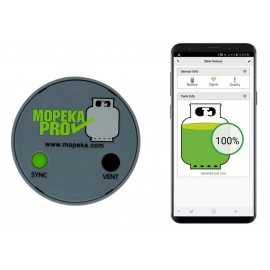
Monitor for Mopeka gas cylinder sensor (without sensors!)
Use:
The monitor can be mounted anywhere in the vehicle interior and displays the fill level of up to 2 gas cylinders.
The sensor itself is not part of the item on offer and must be purchased separately.
Either the PRO sensor 03-050-037 or the latest STANDARD sensor 03-050-014 can be used here.
The monitor is simply connected to up to 2 sensors via Bluetooth so that the respective fill level of the gas cylinders is immediately displayed by the assigned LED lighting up at the touch of a button on the monitor.
At the same time, the display can of course also be conveniently called up at any time via the free APP for Android and iPhone on the mobile phone/tablet.
Scope of delivery:
1x monitor for the interior
Manual for LPG Tank Monitor Users
1. Pull the battery protection strip completely out of monitor and discard. This will turn on the monitor.

2. Hold one of the buttons on your Monitor until the lights for that button start flashing (approx 5 seconds).
Release button when lights start flashing.
3. While the lights are flashing, press the sensor SYNC button a minimum of 6X quickly.
Note: The first 5X awaken the sensor from sleep mode.
It is only in sleep mode from the factory.
Once awake, the sensor will never go into sleep mode again; and only 1 press is required to re-SYNC or connect to a new device.
4.The monitor lights will stop flashing and the sensor is now synced with the monitor.
5. Repeat steps to sync the second sensor to the 2nd button/gauge of the monitor.
NOTE: For easy reference, the buttons on the display are colored green & black to correspond to the colored labelson each sensor.
6. Both sensors are now sync’d to the monitor. You are now ready to install the sensor(s) on the tank(s)
For more information click on the link below:

Specific References

You might also like
Clamping plate set for ALUGAS bottles
Quick adapter for mounting and fixing the sensor unit under the gas cylinder for content measurement. (level indicator)
weight: 0,7 kg
as brand-new empty property bottle with carrying handle
(Production year = current sales year)
Filling weight propane: 6,1 kg
Tare weight: 3.7 kg
Height top edge of valve: 390 mm
(Production year = Current sales year)
as brand new empty property bottle with carrying handle, colour silver
Filling weight propane: 11 kg
Tare weight: 5.4 kg
Height top edge of valve: 575 mm
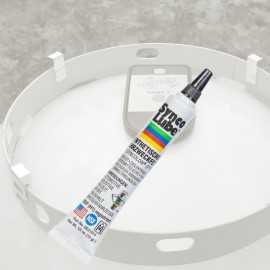
12g dosing tube
Easy to dose - can be closed again and again - immediately ready when changing gas cylinders
Original gel in practical pointed tube as a supplement to the Mopeka starter set
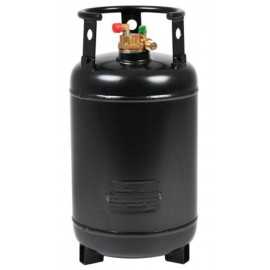
as brand-new empty steel tank gas cylinder for propane gas for filling or refuelling with pre-mounted cylinder collar and integrated 80% fill stop valve
Empty weight: 16 kg
Diameter: 300 mm
Height (without cylinder collar): 555 mm
Height with bottle collar: 585 mm (bottle collar can be unscrewed)
Connecting the Mopeka gas tank level indicator to the cloud via your local WIFI router.
So you can check the level of your gas tank no matter where you are!
Always know how much gas is currently in your vehicle's gas bottle: from home, before your holiday, during the winter season...
Permanent monitoring of the bottle contents (1-bottle line)
Optionally combinable with the new gateway, which connects your tank sensor with the cloud via your home WiFi.
Set with 1x Bluetooth sensors for propane gas bottles.
Weight: 64 g
Display unit for wall mounting in the vehicle interior:
Permanent monitoring of the cylinder contents (2 cylinder system)
Display module (interior)
Weight: 0.045 kg